On this page
Project Handoff
Use a project to keep conversations, work items, and files together for ongoing work. Use a regular topic for a one-off request.
Continue existing work
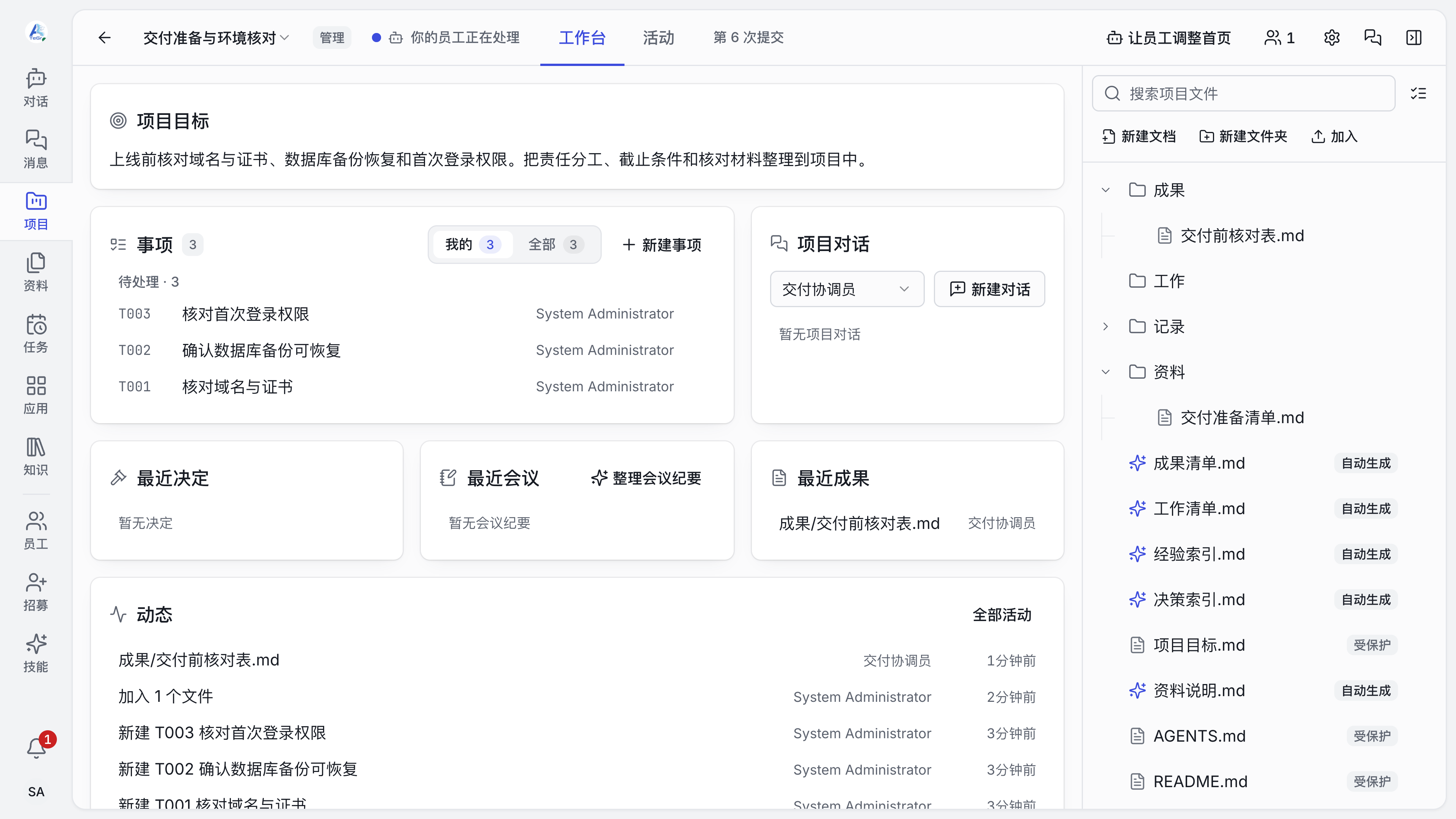
- Open Projects in the sidebar and select a project you can participate in. In Workbench, review Project goal and Tasks.
- Continue an existing conversation in Project conversations, or click New conversation and submit the new request. Once the task is complete, open the actual file and check its contents and saved location.
If there is no project yet, create one as described below.
Define the goal
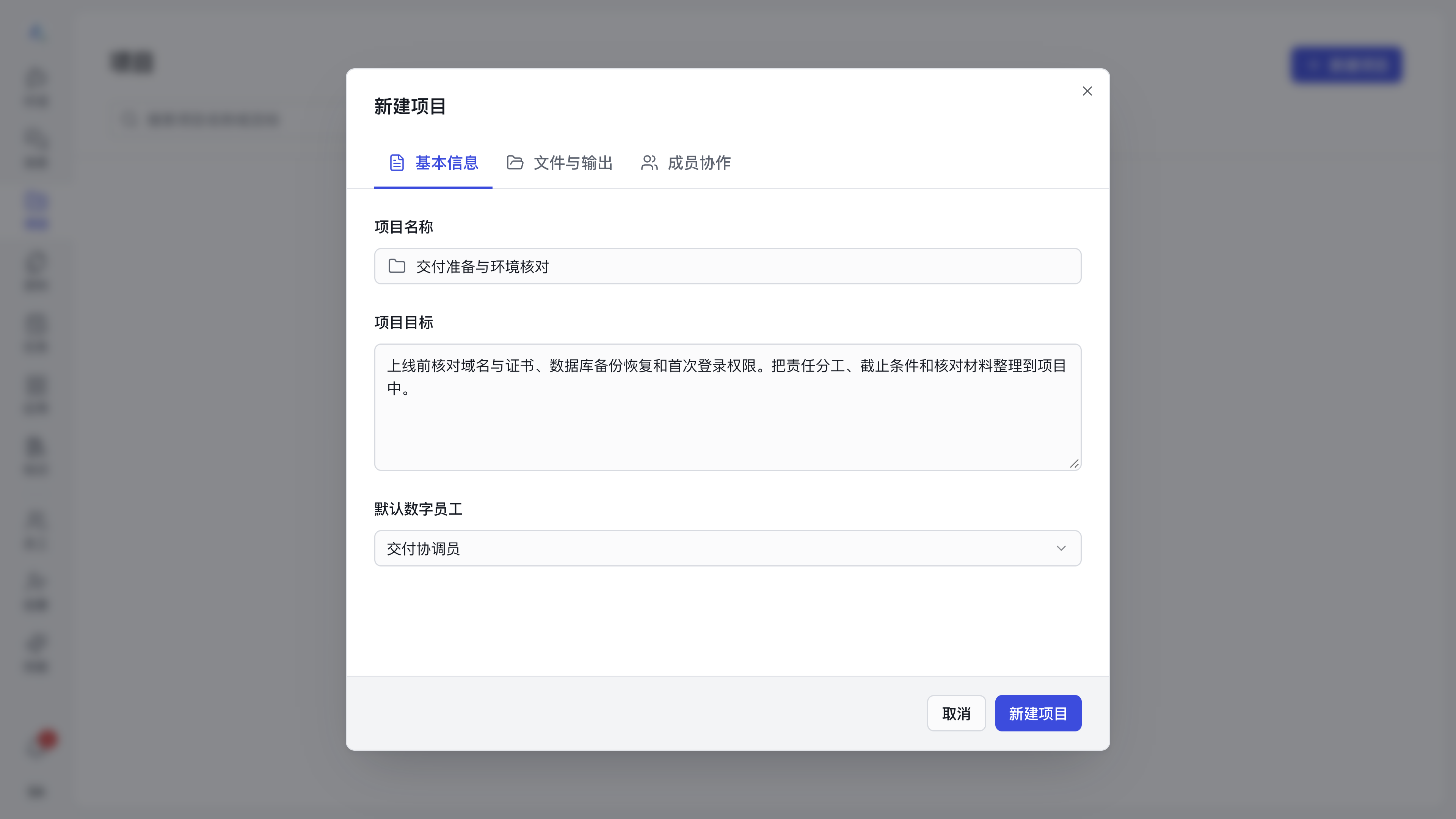
- Open Projects in the sidebar and click New project. In General, enter the Project name and Project goal, and select the Default Employee.
- Specify the deliverables in Project goal, then click New project. Leave dates and owners unconfirmed if they have not been assigned.
The project creates folders and checklist files automatically. Organize materials by source and purpose, retain protected project rules and goal files, and avoid changing indexes maintained by the system.
Track concrete work as work items
- Under Workbench → Tasks, click New task for work that can move forward independently. Use an action as the title, such as “Check the current menus and entry points.”
- Update owners, dates, and statuses as work progresses.
To run something at a specified time, schedule it under Tasks in the sidebar. A project work item does not automatically create a schedule.
In the project chat, specify the source materials and where the result should go. Once complete, open the deliverable from the project. If it isn't there yet, ask the digital employee to save it to the project.
Record current status for the handoff
The person taking over starts in Workbench to review the goal, work items, recent decisions, and deliverables, then checks related submissions in Activity. The person handing over adds only unfinished work, known issues, and next steps.
Before inviting a member, confirm what they need to read and edit. Other members may be able to read project conversations shared with them. Keep sensitive personal material out of those conversations.
See Project Collaboration for member management and the conditions for finalizing, exporting, and restoring work.