On this page
Knowledge Organization and Retrieval
Check knowledge answers with one question the source can answer and one it cannot.
Ask a question using an existing knowledge base
Confirm that the current account can use the target digital employee and knowledge base, that the files show Ready to use (可使用), and that the knowledge base connector enabled for the digital employee covers the target knowledge base.
If the service is missing, off, or outside the scope of this knowledge base, a digital employee manager should complete setup first. See Add a Knowledge Service.
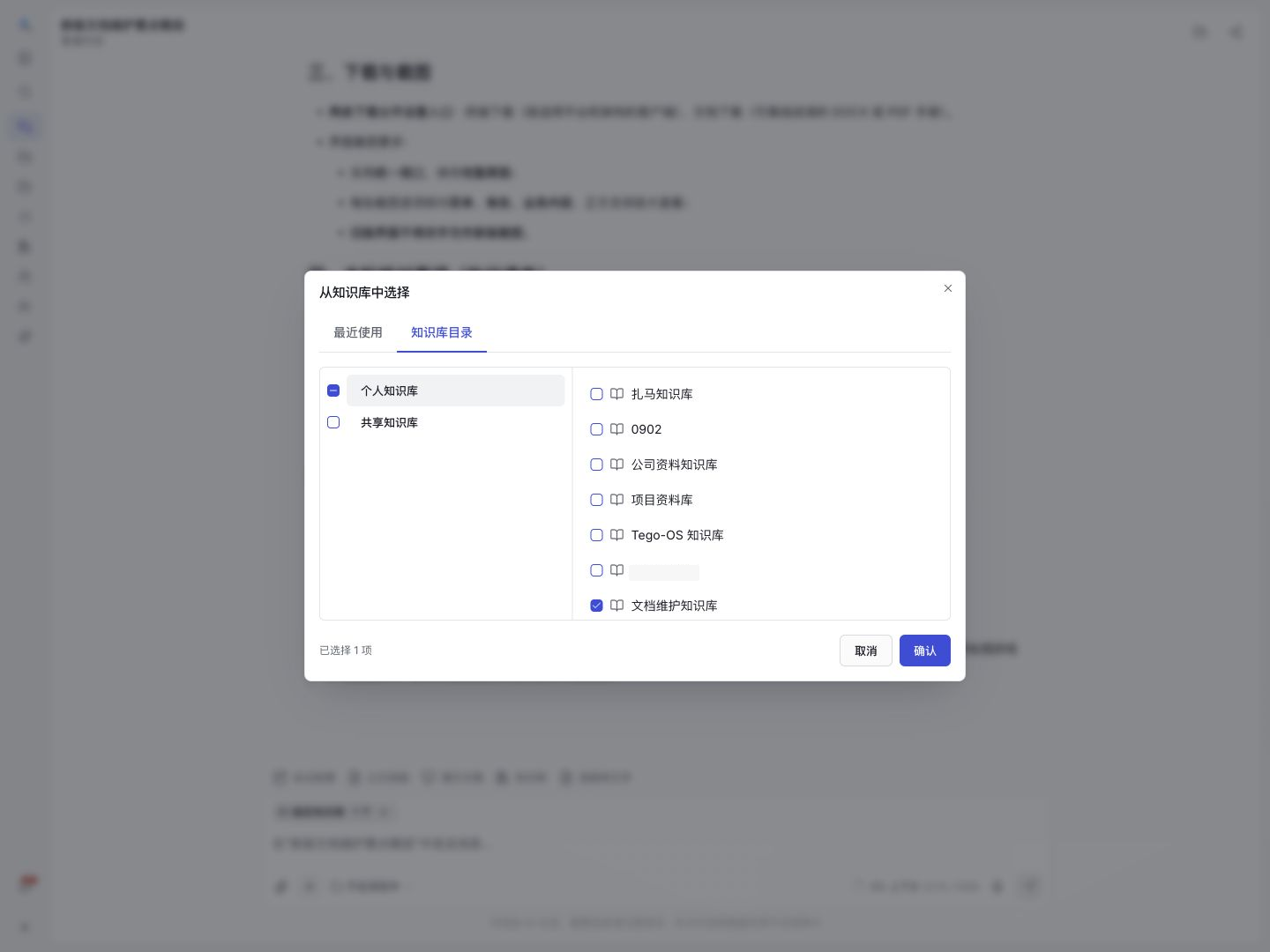
- Select a digital employee in Chat, and choose Add → Knowledge → Selected knowledge bases (添加 → 知识 → 指定知识库) in the composer.
- In Choose knowledge bases (从知识库中选择), select the target knowledge base, then click Confirm.
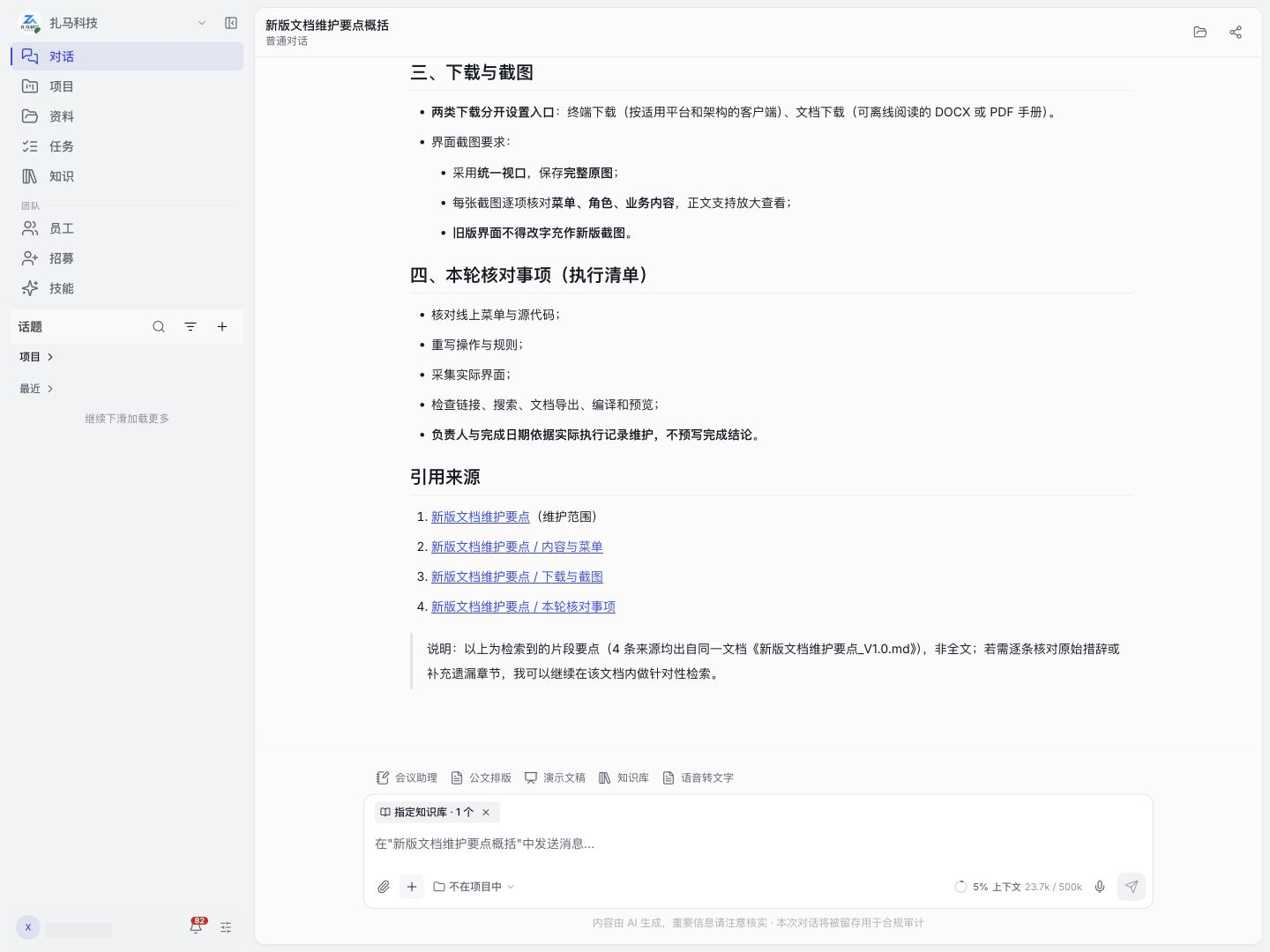
- Send the question, then check the answer and sources as described below.
Check the answer and sources
| Question | Expected result |
|---|---|
| The source provides a clear answer | The answer uses the relevant passage, the citation opens, and the content agrees with the applicable version. |
| The material does not contain the answer | The answer identifies the missing information and does not invent a conclusion from the material. |
If an answer does not use the material, expand the chat activity to see whether a knowledge search ran and which sources it returned.
Check retrieval when content is missing
- After uploading material, open Knowledge in the sidebar. Check Knowledge tasks (知识任务) or the upload queue and wait for the status to reach Ready to use (可使用).
- Open the file's Original file and Parsed content views and compare key passages.
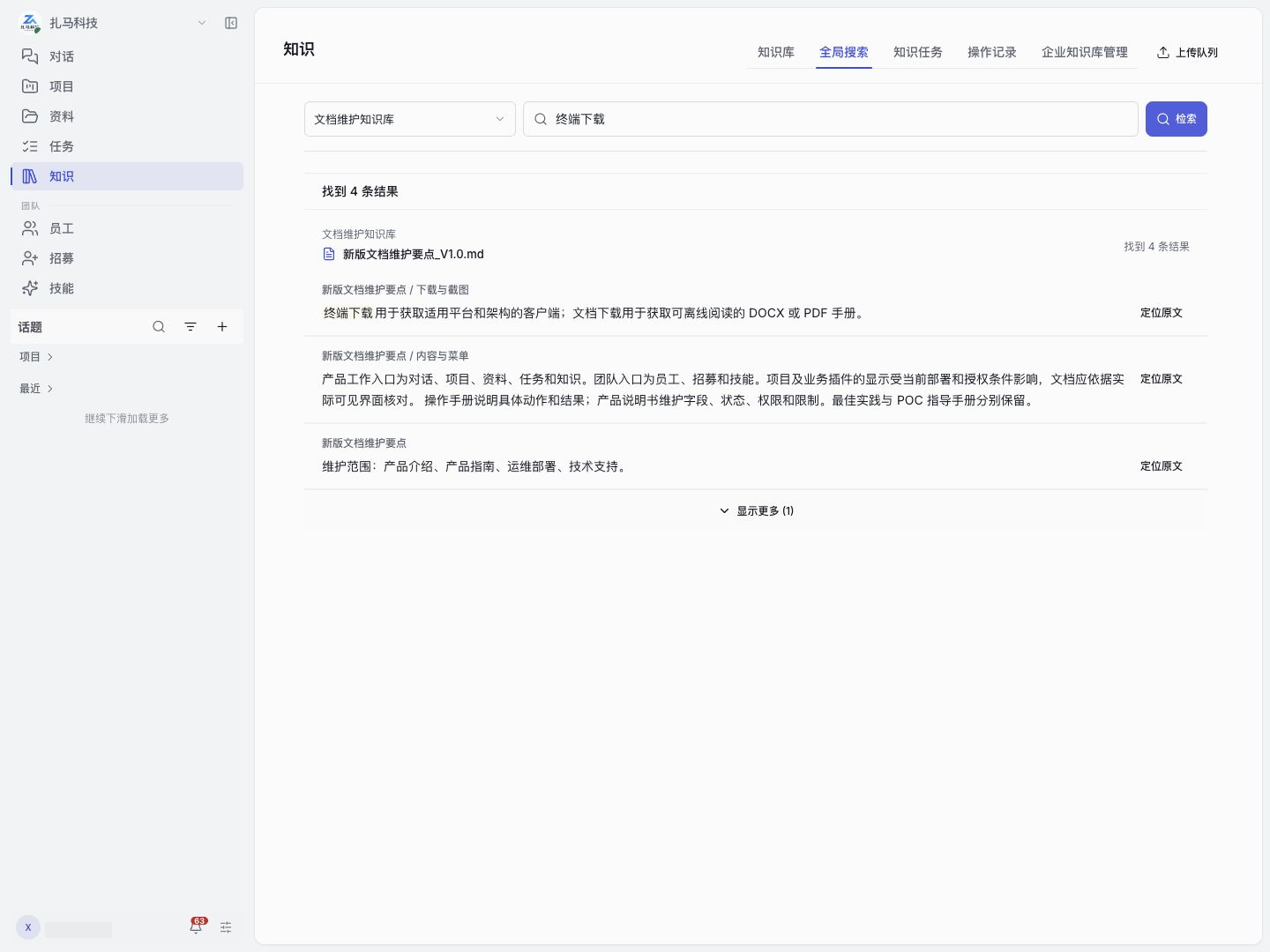
- In Knowledge search, narrow the search to the target knowledge base and search for distinctive terms from the material.
- Click Open source (定位原文) and read the context of the matching passage.
If the filename matches but the text is missing, the knowledge maintainer should resolve the parsing issue first.
Organize and update material
Personal work material can go in a personal knowledge base. For shared material, someone with the appropriate permission should confirm the members and access scope.
- Use filenames that distinguish topics and versions. Retain effective dates or the applicable scope so that old and new policies are not confused.
- Upload clear source text when possible. For scans, check the recognized text. For tables, check headers, units, and content that spans pages.
After replacing material, check the parsing status and test the key questions again. Original files in version history are available for download. This does not mean older versions remain in retrieval or answers.
For steps, see the Knowledge Center.