On this page
Employees
A digital employee is an independently running business instance that stores its role definition and configuration. Runtime instances execute the work.
Page layout
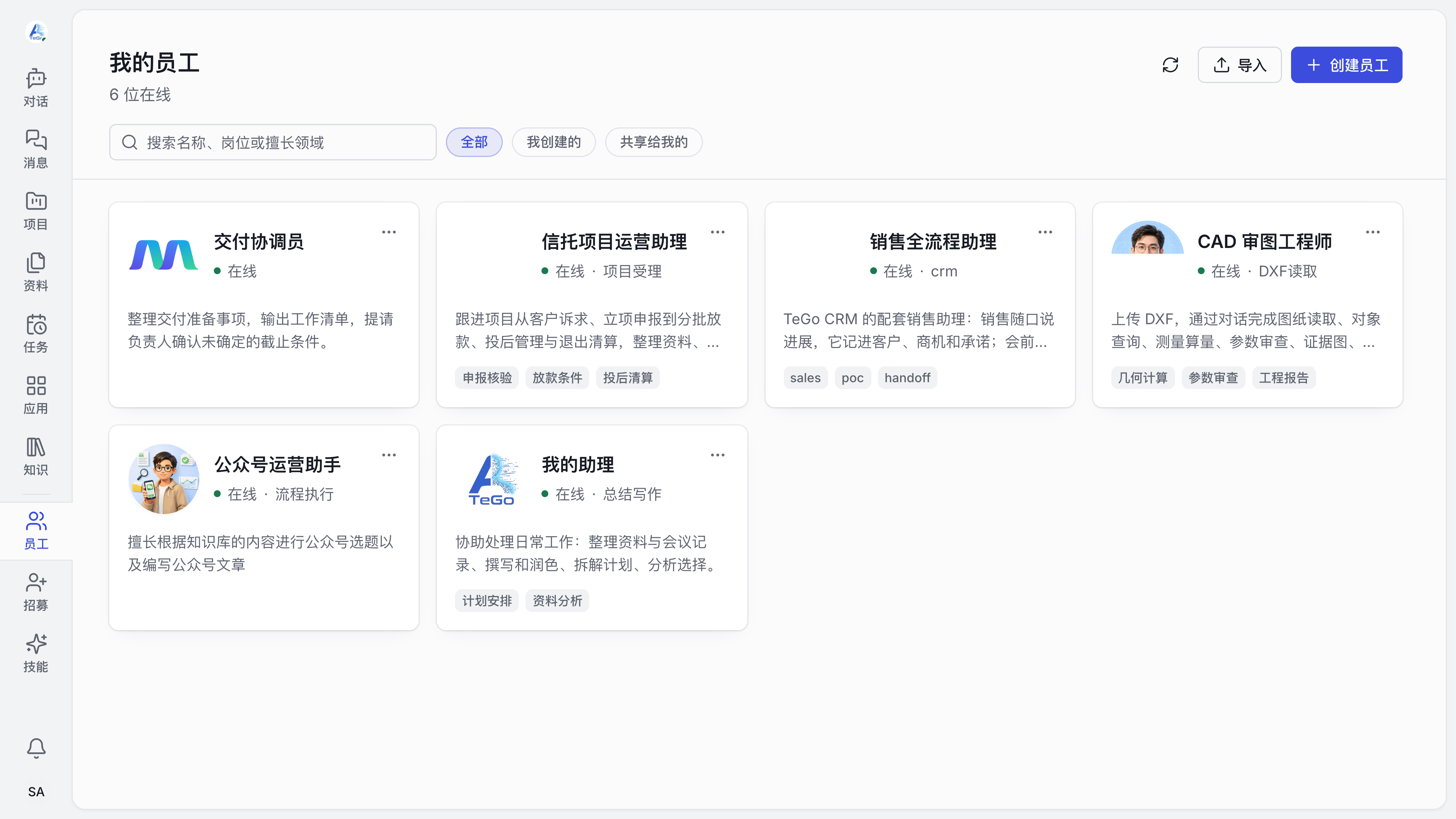
The Employees page provides discovery, use, and management. The current identity's effective permissions determine available actions. The employee picker changes the active digital employee context. The admin console's runtime list and replica statistics support operations.
Creation sources
| Source | What it creates |
|---|---|
| Published digital employee template | Brings in the template's role definition, workspace files, and skill dependencies. |
| Start from scratch | Creates a new digital employee from the form. Configure the workspace and skills afterward. |
| Employee package | Uses the definition, workspace resources, and skills in an .employee.zip file. A digital employee created from a package can apply a later version of the package. |
Administrators can select a published configuration profile for a new digital employee. If none is selected, it follows the default profile. Creation or upgrade stores a snapshot of the role definition, so the runtime no longer depends on the original template record. Deleting the source template does not delete existing digital employees.
Note
Updates to the default configuration or digital employee template do not automatically overwrite existing configurations. An existing digital employee's configuration and its creation source are managed separately.
Lifecycle
| Status | Meaning |
|---|---|
| Pending review | Review of the digital employee and the skills in its definition is not complete. |
| Enabled | The configuration allows use. Execution also requires usage permission and a ready runtime. |
| Disabled | Future use is restricted. Evaluate associated automated tasks as well. |
| Migrating | A status retained for migration from a legacy runtime mode. Current releases do not allow switching to per-user execution. |
Runtime failure, configuration synchronization, and a stopped instance do not delete the digital employee record.
After approval, the platform processes the skill versions pinned in the definition. If the first request is rejected or withdrawn, non-administrators can resubmit with the required permission. Administrators can start and approve directly. To start a previously approved digital employee that was later disabled, use the instance management permissions.
Runtime mode and capacity
The current instance mode is shared. “Dedicated Instance” describes a deployment topology. See Digital Employee Parameters for topology, legacy-mode upgrades, and scaling.
Permission boundaries
| Grant in “Usage permissions” | Capability |
|---|---|
| Can chat | Chat with the digital employee. |
| Can chat and connect devices | Chat with the digital employee and connect your own computer or phone so it can operate the device. |
The effective grants determine sharing. With no sharing grant the employee is unshared. A tenant grant opens access to all members. Other grants limit access to specified members. Only the owner and tenant administrators can manage it.
Grants to all members, individuals, roles, and teams can combine to determine usage permissions. Revoking one does not remove other effective grants. The first time a digital employee is shared, the platform enables multi-user isolation and restarts any running instance.
Dependencies
Models, skills, knowledge bases, MCP, plugins, devices, and channels have separate configuration and authorization requirements. Permission to chat does not grant read access to knowledge content, project materials, or plugin data.
Console access can be full, read-only, or denied. See Employee Console.